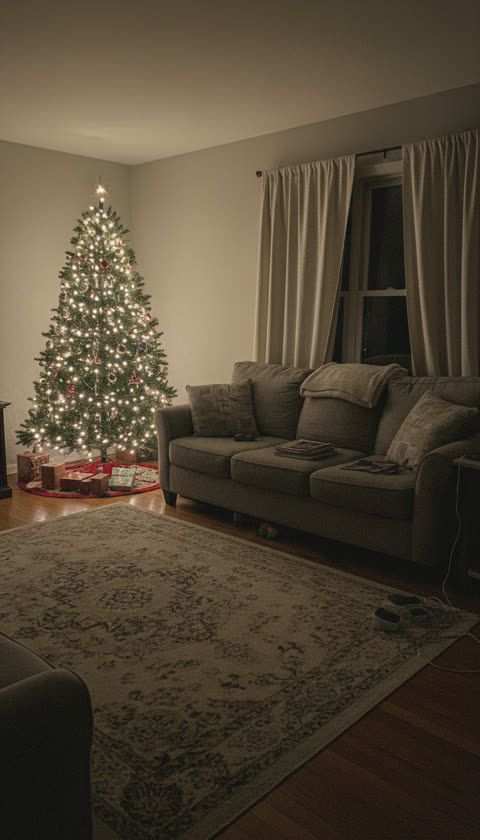
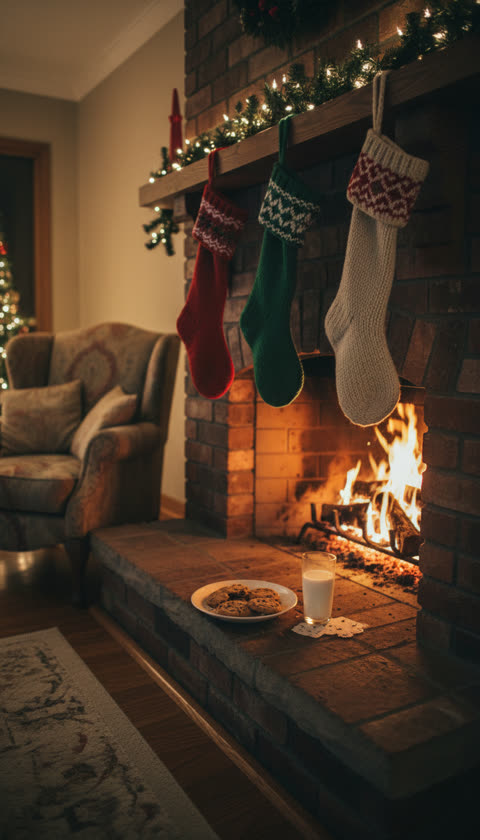
This Santa caught on camera generator turns one photo of your room into a 12-second home camera clip: grainy black-and-white night vision, a fixed camera up in the corner, and Santa tiptoeing in with his sack, leaving presents, looking straight into the lens and saying “Merry Christmas” with your child’s name. Vertical 9:16, no watermark on the paid file. Try it free first: every verified account gets one 6-second watermarked preview.
It is an unofficial, AI-made clip. The Santa is our own original character, nothing is recorded by a real camera, and it is not affiliated with any camera, doorbell or security brand.
How to catch Santa on camera
- Photograph the room, not the people. The tree, the fireplace, the spot where the presents go, with nobody in the shot. Stand on something steady or hold the phone over your head in a corner and tilt it down a little. That is the angle the finished clip will have.
- Keep the Santa Caught on Camera stage. It is already selected above. When you upload, the photo is turned black-and-white with grain and a dark edge before it is sent, so the whole clip stays in night vision.
- Type a name, or don’t. One first name, or two joined with “&”. Santa says it out loud near the end. With the box empty, he says “Merry Christmas!”.
- Watch the free preview. Six seconds, 480p, watermarked, on-site only. It tells you whether the room looks right and how the name sounds.
- Render the full 12 seconds. The paid clip has the whole visit: Santa sneaks in, kneels to leave three presents, gets up, waves at the camera, says his line and tiptoes out. Download the MP4 and show it on Christmas morning.
Why the clip looks like a real home camera
Your room photo and our Santa character both go to the video model, and the prompt tells it which is which: the room comes from your photo, Santa’s look comes from ours. Three choices make it read as security footage instead of a movie:
- Night vision starts with your photo. The model copies the look of the images it gets more than any instruction, so we turn your photo into infrared-style black-and-white in the browser first. Without that step the video comes back in full colour.
- One fixed camera, one take. The camera never moves and there are no cuts, so it plays like a recording, not an edit.
- No fake interface. There is no timestamp, no brand logo and no on-screen text. If you want a timestamp, add one in your editor; we leave it off so the clip is not mistaken for a real product’s footage.
What it will not do
- No people from your photo. The room is the setting. Do not upload photos of children or anyone else; if someone is in the photo, the model may put them in the video.
- No sticker on a still. It makes a moving clip. If you only need a still photo with Santa in it, a screenshot from the video works.
- No music. Santa’s line, his footsteps and the quiet room are the only sounds. There is no audio upload here, so no released song ends up in your file.
- Twelve seconds. One short visit, not a full night. If anything on the site uses your images without permission, the DMCA and takedowns page is how you get it removed.
What it costs
Each verified-email account gets one free 6-second 480p watermarked preview, play-only on the site. After that, credits go on the render: the 12-second clip is 30 credits at 480p and 60 credits at 720p. Credit packs are one-time with no subscription: $3.99 for 30 credits, exactly one 480p clip. Credits never expire, and a failed render returns them automatically. Full details are on the pricing page.
Make yours in the generator above. Want Santa to rap a shout-out to your child instead? The personalized Santa video page does that with no photo at all, and the Christmas rap generator puts your family on the mic.
Frequently asked questions
How do I catch Santa on camera?
Take one photo of your room and upload it above. The generator turns it into a black-and-white night-vision clip, as if a home security camera in that corner recorded Santa’s visit: he tiptoes in, leaves presents by the tree, looks into the lens, waves and says “Merry Christmas” with your child’s name. It is one unbroken shot of your own room, so it looks like your house, not a stock set.
What app puts Santa in your picture?
Most Santa apps paste a still Santa sticker onto your photo. This one goes a step further: your photo becomes a moving video in which Santa walks through your room, sets presents down and talks to the camera. It runs in the browser, so there is nothing to install, on iPhone, Android or a computer.
Can Santa say my child’s name?
Yes. Type a first name in the name box and Santa says “Merry Christmas, Emma!” out loud near the end of the clip. Two names work too, such as “Mia & Sam”. The box takes letters only, up to 30 characters. Leave it empty and he says “Merry Christmas!”. Unusual names are spoken the way the model reads them, so check the free preview first.
Is the Santa cam video free?
You can try it free. Every account with a verified email gets one 6-second 480p preview, watermarked and play-only on the site. The full 12-second clip costs 30 credits at 480p and 60 at 720p, from one-time credit packs that start at $3.99 for 30 credits. There is no subscription, credits do not expire, and a failed render returns them automatically.
What photo works best?
An empty room with the tree, the fireplace or the cookie plate in view, shot from high in a corner, in evening light with a lamp or the tree lights on. The video keeps the angle of your photo, so a photo from eye level gives an eye-level camera. Leave people and pets out of it: the photo is only the setting, and Santa is the one who walks in.
Is this real security camera footage?
No. Everything in the clip is generated by AI from your room photo and our own Santa character, and the night-vision look is applied in your browser before upload. It is not linked to any camera, doorbell or security brand, there is no fake brand logo or timestamp on screen, and this is an unofficial tool.
Last updated: 2026-11-13