How to Make an AI Rap Video From a Photo
Turn one photo into a 15-second lip-synced AI rap video: which photo works, which template to pick, what to type, and what it costs. Free 6-second preview.
Upload one clear, front-facing photo, pick a template, type one line about the occasion and press generate. The AI writes original bars, raps them in an AI voice over an original beat, and lip-syncs the face in your photo. About one to two minutes later you have a vertical 9:16 MP4, 15 seconds long, with the vocals and the beat already in the file. Nothing to film, nothing to edit, no app to install. Every verified account gets one free 6-second watermarked preview; the downloadable 15-second 480p video costs 30 credits, and the $3.99 pack is exactly 30 credits, paid once with no subscription. The rest of this guide is the detail that decides whether yours comes out good.
What you need before you start
A photo and a sentence. That is the whole input list, but the photo does most of the work, because the model has to rebuild your face moving and talking from a single still.
- One face per photo. A group shot gives the model several faces to choose from, and it may pick the wrong one. Crop to the person you mean, or upload two separate photos for two people.
- Front-facing, eyes open. A head turned far to the side or tipped back tends to lose the face halfway through the clip.
- Framed from the chest up. A full-body shot taken across a room leaves too few pixels in the face to rebuild.
- Even light, nothing over the mouth. The mouth is the part that gets animated, so a hand, a microphone, a scarf, a mask or a hard shadow across it costs you the lip sync.
- JPEG, PNG or WebP, under 10 MB. Straight off the camera roll is fine. Skip heavy filters and beauty smoothing, which eat the detail the model needs.
- Yourself, or adults who agreed to appear. No photos of minors, and no faces you do not have permission to use. You confirm this before the render starts.
Pets count as faces too: a single photo of a cat or a dog works on the Pet Rap template. A verified email address gets you the free preview; lyric drafts need no account at all.
How to make an AI rap video from a photo
- Choose your photo. Run it past the list above before you upload. If you are torn between two pictures, the one where the mouth is clearest wins, even if you like the other one better.
- Pick a template. The template is the single biggest choice you make. It sets the stage, the beat, the vocal style and the kind of lines the lyrics model writes, so the same photo becomes a party verse, a cold threat or a joyful victory lap depending on which one you tap.
- Write the topic line, or your own lyrics. The topic field takes about 120 characters, which is one sentence. Say who it is for, what happened and one detail only your crew would get. Leave it empty and the template writes a general verse. Open "Write my own lyrics" if you would rather pick every word.
- Spend the free preview first. Six seconds, 480p, watermarked, play only on the site. It is not a teaser to get you to pay; it is the check that your face survives the scene before any credits go on the render.
- Render the 15-second video and download it. 30 credits for 480p, 60 for 720p. Paid videos download clean, with no watermark, vocals and beat baked in. We email you when it is done.
Here is what those five steps produce: one portrait in, a finished Diss Track video out, vocals and beat included. Press play to hear it.
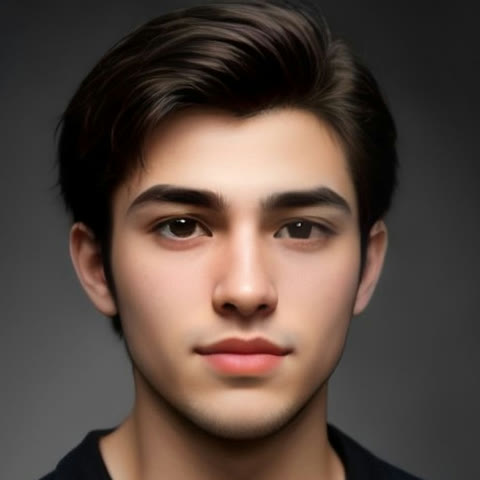 Photo in
Which template to pick
All of these take one photo, unless noted, and all of them write their own lyrics and beat.
- Birthday Rap — balloons, confetti and friends cheering. Best when you have a name and an inside joke. The birthday rap generator collects ideas by who it is for.
- Diss Track — a dim booth, one hard spotlight, bars aimed at one target. The sharpest of the lot. It has its own page at the diss track maker.
- Roast Battle — two photos, face to face in an underground club, trading playful jabs. If you only want the words and not a video, the free roast generator writes those in text.
- Desk Concert — you at the mic behind a cluttered desk with a small band packed in around you, celebrating something terrible as if it were the best day of your life. The format behind the Tiny Desk AI trend.
- Street Freestyle — one handheld shot on a night street outside a red-lit door, a speaker held up beside you, over a fast dembow-style beat.
- Stickman Rap — your photo redrawn as a hand-drawn stick figure with your hairstyle and shirt color. Covered on the stick figure animation maker page, and the only template where the photo is optional.
Grandma & Grandpa Rap, Christmas Rap, Pet Rap, Hype Duo and the Dinner Party Toast fill out the rest of the strip. Switching template costs nothing; your photo stays, though a one-photo stage keeps only the first.
A topic line, or your own words
The topic field is not a prompt box and it does not want adjectives. It wants facts the lyrics can use: who, what happened, one detail. "Dad turns 60 and still mows the lawn in sandals" gives the model three things to work with. "Make it funny and epic" gives it none.
If you want control, open the lyrics panel. You can draft a verse for free, edit it, or paste your own. Keep it short: roughly two brief lines fill 15 seconds, and anything past that gets cut. Long lines are also what make the vocal rush and swallow words, so write shorter lines than you think you need.
Stuck on what to say? 40 AI rap video ideas has topic lines by occasion, and if the target is one person rather than a party, how to write a diss track covers finding the angle and building the punchline.
What you get, and what it will not do
A vertical 9:16 MP4, 15 seconds, 480p or 720p, with the rap vocal and the beat mixed in and no watermark on the paid file. One or two real faces per video.
The honest limits: the AI voice may change a word or drop a line, so treat your lyrics as direction rather than a script. It raps; it does not sing a melody, and it will not perform a song that already exists. You cannot upload audio or swap the beat. Fifteen seconds is a hook, not a verse and a chorus. And the face is rebuilt, not pasted, so a bad photo shows up as a face that drifts.
Posting it
The file is already vertical, so it drops straight into TikTok, Instagram Reels or YouTube Shorts with no cropping, and 15 seconds loops well. Keep the audio that came with it: videos built on someone else's recording get muted or pulled, and this one is original. Label it as AI, both because the platforms ask and because the joke lands better when people know. The Share button gives you a /watch/ link if you would rather send the video than upload it.
When it does not come out right
- The face drifts or stops looking like you. Nearly always the photo. Go back to a front-facing, chest-up shot in even light and try again.
- It animated the wrong person. Crop the photo down to one face, or upload two photos and let the template put both of you on the stage.
- A line vanished or got mumbled. Your lines are too long for 15 seconds. Cut them in half and re-render.
- The dance templates behave differently. Hip-Hop Dance, Griddy and the Christmas Elf Dance are silent motion remakes of about eight seconds, priced at 100 credits, and you add the trending sound when you post. They are not rap videos.
- The render failed. Your credits come back automatically. Try again, or switch template.
What it costs
Lyric drafts are free. Each verified-email account gets one free 6-second 480p preview, watermarked and play only. After that, credits go on the video: 30 credits for a 15-second 480p render, 60 for 720p, 100 for a dance remake. Packs are one-time, with no subscription: $3.99 for 30 credits, which is exactly one 480p video, then $9.99 for 100, $29.99 for 350 and $79.99 for 1,000. Credits do not expire, and failed renders are refunded. Full details sit on the pricing page.
Ready? The AI rap video from photo page has the generator with every photo template in one strip, and each sample shows the photo it was made from.
Frequently asked questions
Can I make an AI rap video from a photo for free?
You can try it free. Lyric drafts cost nothing, and every account with a verified email gets one free 6-second 480p preview: watermarked, play only on the site, enough to see whether your face holds in the scene. The 15-second MP4 you can download costs 30 credits, and the $3.99 pack is exactly 30 credits, paid once with no subscription.
How long does an AI rap video take to make?
Usually one to two minutes, plus queue time when the site is busy. You do not have to watch it happen; we email you when the render is ready, so you can close the tab after you press generate. A render that fails returns your credits automatically.
Can I use a photo of a friend, or of a celebrity?
A friend, yes, if they are an adult and they agreed to appear, and you confirm that before you generate. A celebrity, no. Public figures hold rights in their own likeness, and a video of a real person appearing to say things they never said can do real harm. Photos of minors are not allowed on this site for any template, and we remove reported videos through our DMCA and takedown process.
Does the photo sing or rap?
It raps. You get a rap vocal with original lyrics over an original beat, lip-synced to the face in your photo, not a sung melody. The AI voice can also change a few words or drop a line, so the lyric draft shows what the video aims for rather than promising it word for word.
Can I upload my own beat or my own song?
Not today. Every video uses an original AI beat chosen by the template, so there is no audio upload and no beat picker in the generator. That is also what keeps the clip safe to post: a video built on someone else’s recording can be muted or taken down, and an original one cannot. If you do bring your own material to this site in future, it has to be audio you own.
How many people can be in one video?
One or two real faces. One photo makes that person the lead; a second photo puts both of you on the stage, the first photo on the left and the second on the right. Hype Duo and Roast Battle need exactly two photos, one face per side. Everyone else in the scene, such as a band or a crowd, is generated.